Create a free online product catalog that generates orders
Present products clearly, collect the exact details buyers need to provide, and turn catalog interest into an inquiry, quote request or paid order with AbcSubmit.
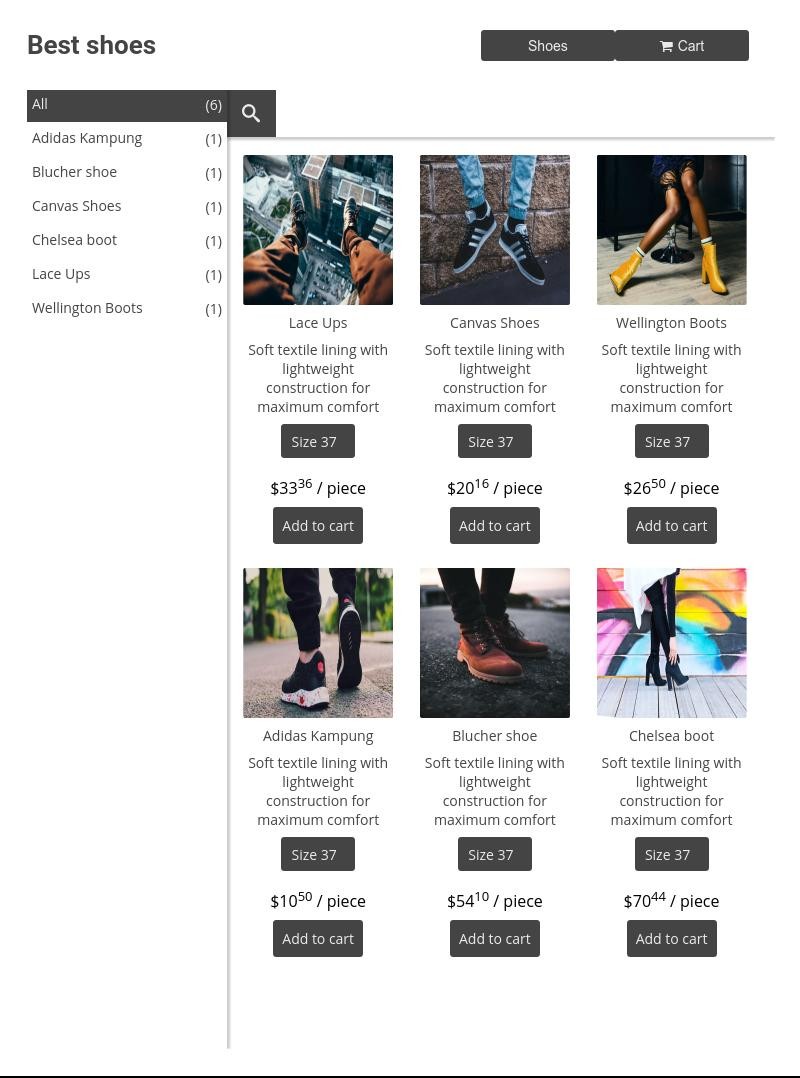
What is an online product catalog?
An online product catalog is a structured way to present products or services with the information a buyer needs to compare options and take the next step. Unlike a static PDF, a web catalog can lead directly into an inquiry form, quote request, order form or checkout.
AbcSubmit lets you combine product-oriented fields with ordinary form questions. That means a buyer can choose products while also providing quantities, delivery details, specifications, files, contact information or approval context. It is especially useful when the sale requires more than a simple “Buy now” button.
Show what you offer
Use clear names, useful images, concise descriptions and comparable product details.
Capture buying intent
Ask for quantities, options, customer requirements and the information needed to respond.
Move the request forward
Confirm receipt, notify the team and route submissions into an appropriate workflow.
Who can use a product catalog form?
Wholesale suppliers
Present product lines and collect bulk quantities, account details, delivery dates and purchase-order references.
Manufacturers
Let buyers request configurations, technical options, documentation or a tailored quote.
Small retailers
Create a focused collection for merchandise, gift boxes, seasonal products or limited releases.
Service providers
Package services as selectable offers and collect scope, timing, files or appointment preferences.
Restaurants and caterers
Organize menu choices, packages, quantities, dietary notes, pickup and delivery information.
Internal teams
Build an approved catalog for equipment, supplies, marketing assets or employee requests.

Build a catalog around how customers decide
A useful catalog makes comparison easy. Group related items, keep names consistent and put the most decision-relevant information near each choice. Avoid descriptions that sound impressive but do not explain who the product is for or what changes between variants.
- Use one clear name for every product and option
- Add accurate images that show the actual item or outcome
- Explain size, material, capacity, compatibility or service scope
- State the unit, package quantity and minimum order where relevant
- Make price, quote-only status and additional fees clear
- Show availability or fulfilment expectations accurately
- Give every catalog section a meaningful heading
How to create a free online product catalog
Define the audience
Identify who will use the catalog, what they already know and whether they need pricing, specifications or guidance.
Organize products
Group related offers, standardize product information and choose images that help comparison.
Add the conversion
Connect each choice to an inquiry, quote, order or payment flow and collect only necessary details.
Publish and test
Share or embed the catalog, test it on phones and desktops, and submit realistic requests from start to finish.
AbcSubmit currently offers a Free plan with limits and lists Product, Shopping Cart and Payment Processor fields in its feature matrix. Confirm current plan capacity and field availability before building a production catalog.
Catalog, order form or full ecommerce store?
| Experience | Best suited to | Primary action |
|---|---|---|
| Product catalog form | Focused ranges, wholesale inquiries, configurable goods and service packages | Select products and submit requirements |
| Quote request catalog | Variable pricing, technical products and custom work | Ask for a tailored price or consultation |
| Shopping cart order form | Multiple items, quantities and a structured checkout | Review selections and place an order |
| Full ecommerce store | Large inventory, advanced merchandising, shipping and retail operations | Browse a complete storefront and purchase |
| Static PDF catalog | Downloadable or printable reference material | Read offline, then contact the seller separately |
A catalog form can shorten the gap between discovery and response because the buyer does not have to copy product details into a separate email. For larger inventories or complex fulfilment, evaluate a dedicated ecommerce platform as well.
Product information that helps people convert
Product name
Use the words customers recognize, followed by a model or reference when necessary.
Value and use case
Explain the job the product does and the customer or situation it best fits.
Key specifications
Include the dimensions, materials, duration, compatibility or constraints that influence choice.
Price or quote status
Show a clear price when possible or explain exactly what information is needed for a quote.
Availability
Set realistic expectations for stock, production, booking, shipping or service start dates.
Next action
Use a specific CTA such as “Request a quote,” “Add to order” or “Ask about this product.”
Turn the catalog into an order or quote form
After the buyer selects a product, collect the minimum information needed to price, approve or fulfil the request. Conditional logic can show questions related to the selected item while hiding irrelevant fields.
- Quantities and product variants
- Shipping, pickup or service location
- Requested date or delivery window
- Customization instructions and supporting files
- Business details for wholesale inquiries
- Consent, terms or signature where required
- Payment choice when the order is ready for checkout
For transactional guidance, read free shopping cart software for online forms and how to sell products online with order forms.

Publish or embed your product catalog
A catalog should live where customers already look for your products. AbcSubmit forms can be shared and embedded, allowing you to place a catalog-oriented form on an existing website or direct buyers to a hosted experience.
| Publishing option | When it helps | What to test |
|---|---|---|
| Hosted form link | Fast launch, campaigns, direct messages and QR-code destinations | Brand clarity, mobile layout and the return path to your main site |
| Website embed | Keep the catalog inside an existing product or campaign page | Width, height, responsive behavior, loading and theme conflicts |
| WordPress page | Add an order or catalog form to a WordPress website | Plugin or embed compatibility, caching and mobile display |
| Campaign landing page | Promote a focused collection or seasonal offer | Message match, CTA visibility and analytics |
Always test the real published page rather than only the builder preview. Check common browsers, narrow screens, keyboard navigation, confirmation behavior and any embedded payment step.
Improve product catalog SEO
Search engines need useful, crawlable information—not a page made only of images or generic product labels. Give each important catalog page a clear purpose and write for the questions buyers ask before contacting you.
- Use a descriptive page title and one clear H1
- Write original category and product descriptions
- Include buyer language, specifications and use cases naturally
- Add descriptive image alt text without keyword stuffing
- Link from relevant category, service and educational pages
- Avoid publishing many near-duplicate pages for trivial variants
- Keep discontinued products and replacement options accurate
- Use fast, appropriately sized images
- Answer delivery, compatibility, minimum-order and pricing questions
- Measure qualified inquiries and orders, not traffic alone
Automate catalog inquiries and orders
After a catalog form is submitted, AbcSubmit workflows can notify staff, evaluate conditions, request approval, ask for edits or continue into supported integrations, depending on the selected plan.
Route by product line
Send a request to the team responsible for the selected product or service.
Review large requests
Route wholesale, custom or high-value inquiries through a defined approval process.
Request missing details
Ask the customer or colleague to complete information required for an accurate quote.
Confirm next steps
Tell the buyer whether to expect a quote, payment request, delivery update or personal response.
Organize product data
Connect eligible submissions to database collections or supported integrations.
Measure the funnel
Track which catalog requests become qualified opportunities, orders and repeat business.
Explore form automation, approval workflows, form data collections and workflow templates.
Product catalog conversion checklist
- The headline explains what buyers can find or accomplish
- Categories reflect customer needs rather than internal departments
- Every product has a unique name and useful description
- Images accurately represent the product or service
- Pricing or quote expectations are easy to understand
- Specifications and variant differences are comparable
- The main CTA uses specific action language
- Required fields support quoting, payment or fulfilment
- Terms, privacy, delivery and cancellation information are available
- The catalog works on mobile and with keyboard navigation
- Confirmations tell buyers what happens next
- Internal ownership and response times are defined
Free online product catalog FAQs
Can I create a product catalog for free?
AbcSubmit currently offers a Free plan with limits. Compare the current limits and ecommerce-related fields before using it for a production catalog.
Can customers order directly from the catalog?
You can combine product selection with an order form, shopping cart or payment processor field according to your plan and configuration. Test the complete buyer and fulfilment journey before launch.
Can I create a catalog without displaying prices?
Yes. A quote-request catalog can collect the products, quantities and requirements needed to prepare custom pricing. Explain clearly that the displayed action requests a quote rather than completing a purchase.
Can I embed the catalog on my website?
AbcSubmit forms can be embedded on websites. Verify responsive behavior, loading, theme compatibility and confirmation handling on the actual published page.
What is the difference between a catalog and a shopping cart?
A catalog helps people discover and compare products. A shopping cart tracks selected items and quantities before checkout. A product catalog form can combine both experiences when appropriate.
Is a product catalog suitable for wholesale orders?
Yes. It can collect bulk quantities, account information, delivery dates and purchase-order details, then route the request for pricing or approval.
How do I make a product catalog rank in search results?
Publish original, useful product information; use descriptive titles and headings; optimize images; answer buyer questions; create relevant internal links; and keep product availability accurate.
Build a catalog designed for the next action
Organize your offer, make comparison easy and give every buyer a clear path to inquire, request a quote or place an order.